Virtual Network Computing (VNC)
Last reviewed: October 19, 2026
Virtual Network Computing (VNC)
danger
Please do not change these settings unless you are an experienced or advanced user or are otherwise told to do so by a staff of 1of1 Servers.
You can do more harm than good.
info
You should only enable this option if you are having issues or need to install using CD/DVD media.
- By enabling VNC Access you can:
- Connect to the server as if you were in front of it
- Access the Terminal Command Prompt instead of using SSH
- Detect and fix server unavailability issues
- Install or reinstall the OS using a custom image
Opening the Console
- On your VPS Dashboard, open the Console tab.

- Click Enable VNC.
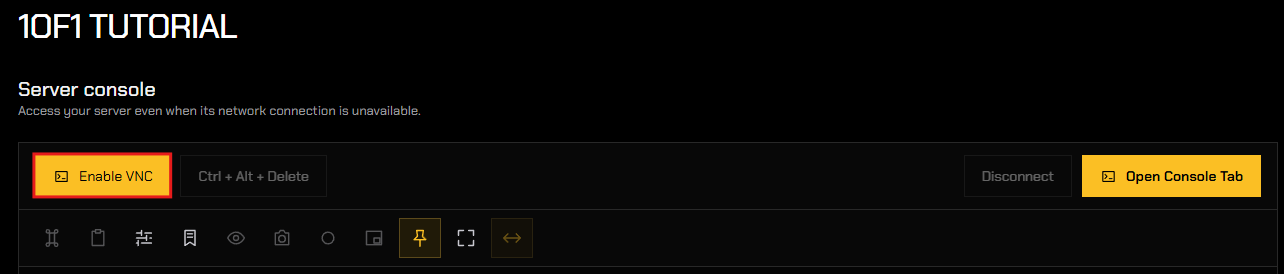
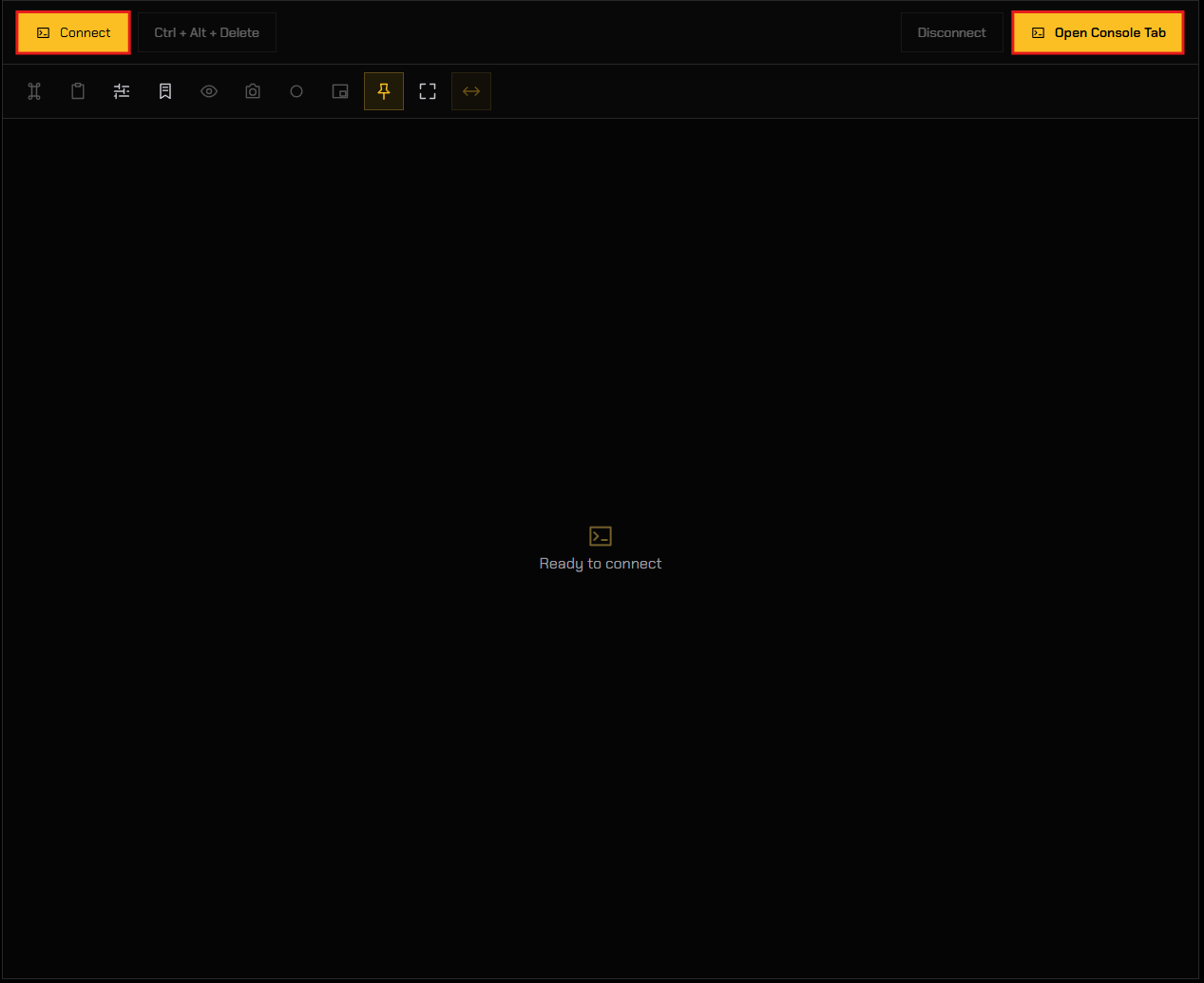
- Choose how to open your server's console:
- Click Connect to view the console in the preview area below, or;
- Click Open Console Tab to open the console in a new browser tab.
Logging In Through the Console
- Click Ctrl + Alt + Delete to bring up the login screen.

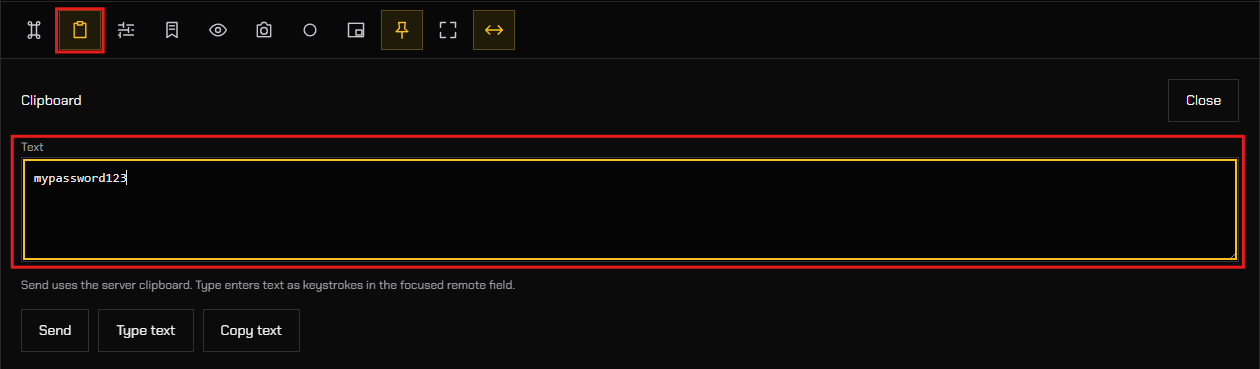
- Click the Clipboard tool, then paste your password into the Text box.
- Click the Password field in the console preview.
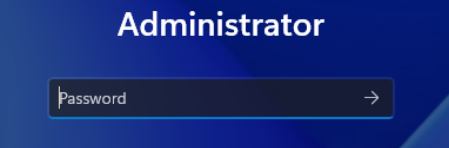
- Click Type text in the Clipboard tool. Your password is entered into the password field as keystrokes.
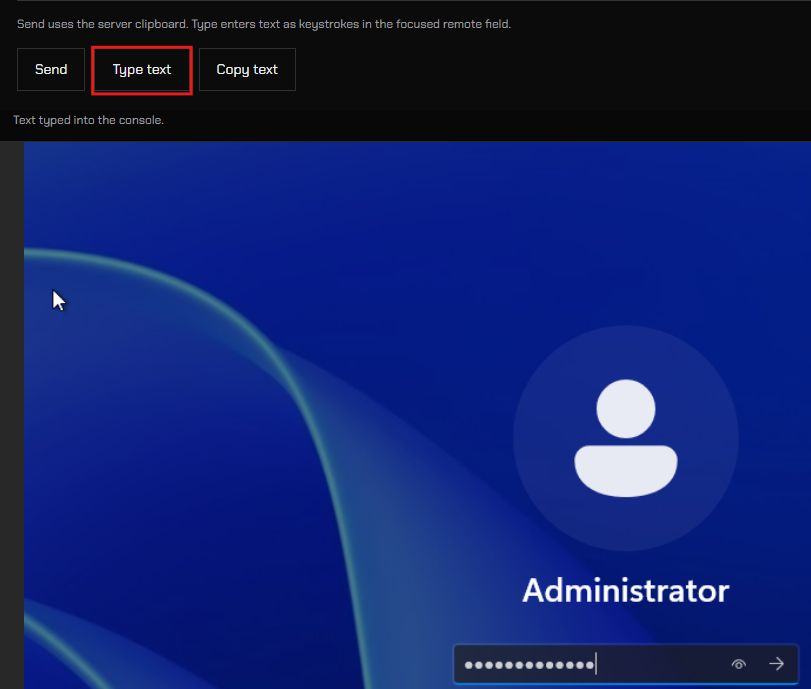
- Click the arrow icon in the password field to submit your password.

tip
Use Type text for login screens and other fields that don't accept pasting. Send copies the text to the server's clipboard instead, so you can paste it once you are logged in.