Password Reset
Last reviewed: October 19, 2026
Steps to Reset Your Password
- Open your VPS Dashboard and go to the Rescue tab.

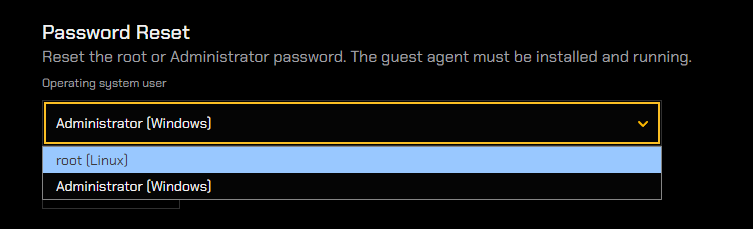
- In the Password Reset section, use the Operating system user drop-down to select the appropriate username:
- Administrator - if your VPS runs Windows.
- root - if your VPS runs Linux (Debian or Ubuntu).
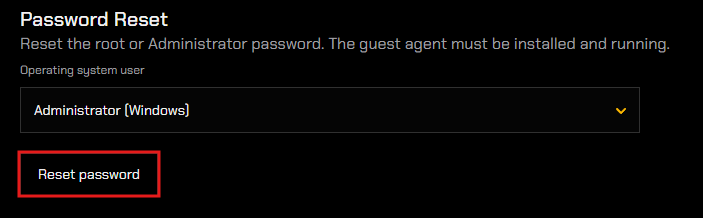
- Click Reset password.
You will receive an email containing your new password, sent to the email linked with your 1OF1 Servers account.
warning
Please allow 2-3 minutes to receive the email before reattempting the password reset.
Check ALL folders, spam, junk, promotions for the email.