Customer Area
Last reviewed: October 19, 2026
VPS Dashboard
Your VPS is managed directly from the Billing Portal. In Your Active Products/Services, or in My Services, click Manage beside your VPS to open its dashboard.
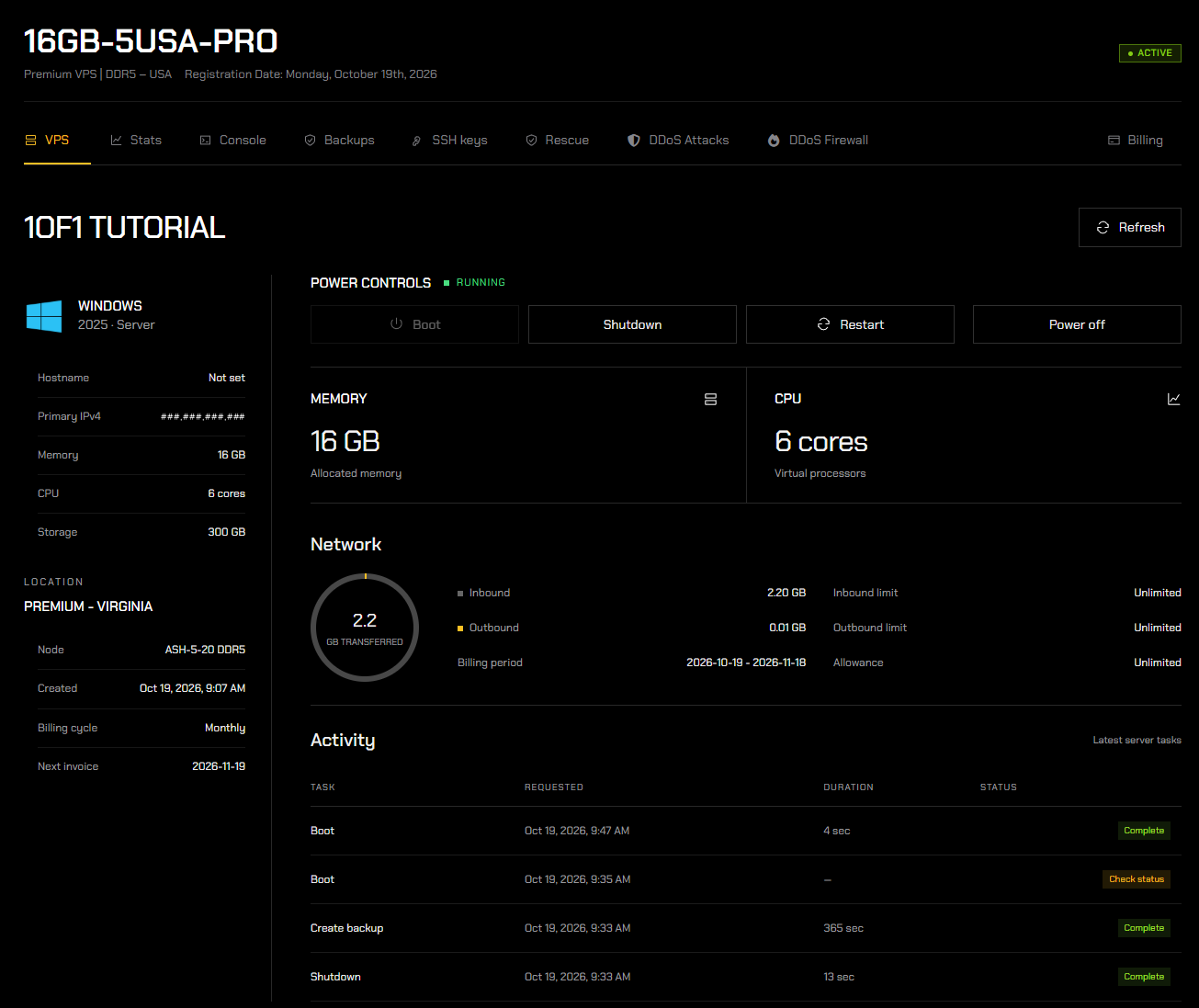
Header
The top of the page shows your plan name, product, registration date, and service status (for example, ACTIVE).
Tabs
Use the tabs below the header to manage different parts of your VPS: VPS, Stats, Console, Backups, SSH keys, Rescue, DDoS Attacks, DDoS Firewall, and Billing.
The VPS tab opens by default and gives you an overview of your server. Click Refresh to update the information shown.
Server Details
The left side of the VPS tab lists your server's details:
- Operating system - the operating system installed on your VPS.
- Hostname, Primary IPv4, Memory, CPU, and Storage - your server's address and specifications.
- Location - your server's location and node, when it was created, your billing cycle, and your next invoice date.
Power Controls
Shows whether your server is running, along with buttons to control it:
- Boot - starts your server when it is off.
- Shutdown - safely shuts your server down.
- Restart - restarts your server.
- Power off - forcefully turns your server off. Only use this if your server is not responding, as unsaved data may be lost.
Memory and CPU
The memory and number of CPU cores allocated to your VPS.
Network
How much data your server has transferred during the current billing period, split into Inbound and Outbound, along with your inbound limit, outbound limit, and allowance.
Activity
The latest tasks run on your server, such as boots, shutdowns, and backups. Each task shows when it was requested, how long it took, and its status.