Backups
Last reviewed: October 22, 2026
We strongly recommend creating backups of your server. Save your precious data, or else you will start from scratch!
Backups
Backups Creation
Backups are copies of the server's primary disk. Any additional storage that may be attached, will not be included in the backup.
You have 2 slots available to store your backups.
We recommend that you power down your server before creating a backup to ensure data consistency on the disk.
The Budget VPS lineup does not have the Backup feature available.
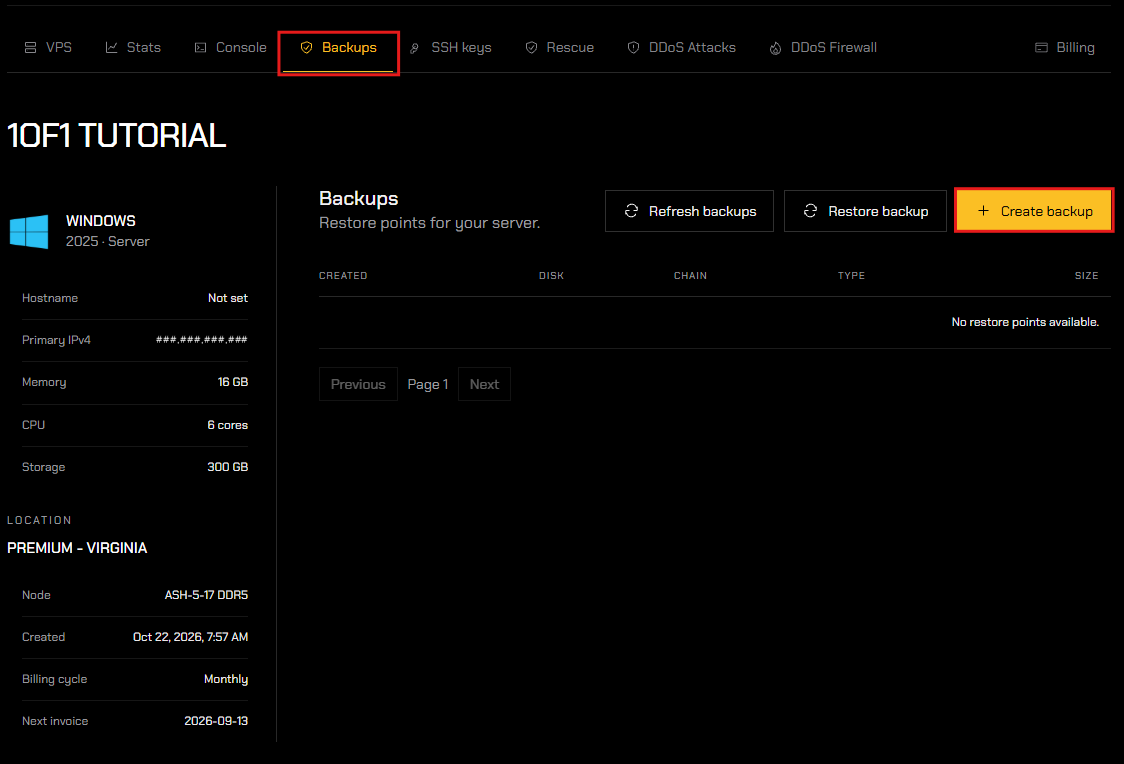
- To create a backup, enter the "Backups" tab and click "Create backup". This will automatically create a backup file and store it in one of your two slots available (depending on your hosting plan).
- Your backup(s) will populate in a list below, showing when each was created, its disk, chain, type, and size.
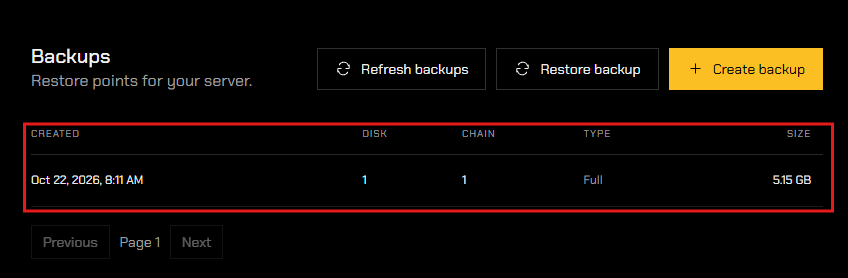
Please remember that you are responsible for keeping these files somewhere safe (Github, Google Drive, etc)
Restoring a Backup
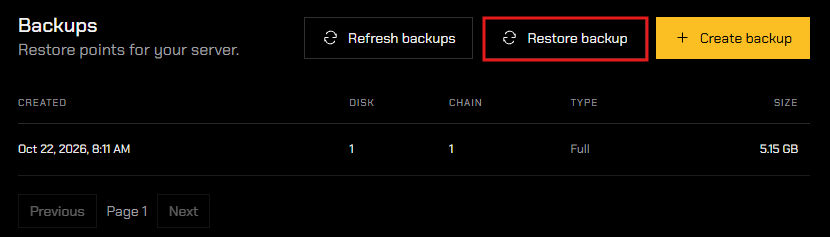
- To restore a backup, click "Restore backup".
- Select the backup you would like to use from the Restore point drop-down, then click "Restore selected disks".
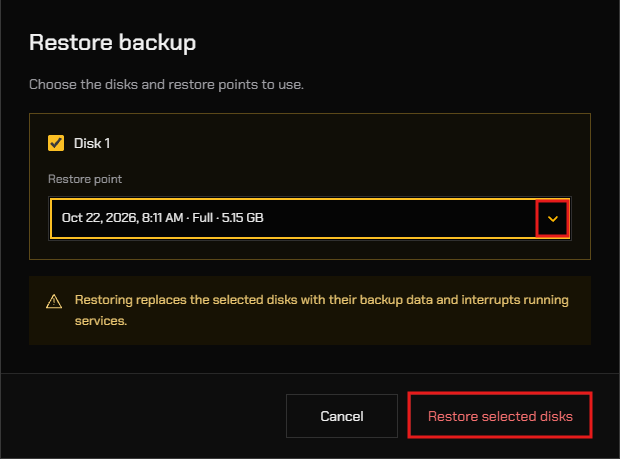
Please note that restoring a backup wipes ALL data added to the server after the selected backup's creation. Save any important data off-site, if accessible, prior to restoring a backup.
KEEP YOUR FILES BACKED UP!!!
You are solely responsible for backing up your data at all times, including database files such as Heidi or SQL.
We have a guide for backing up your database here.