VPS - Adding Developer Access
Last reviewed: June 2, 2026
Adding Authorized Users
Keep your server safe and don't let anyone else use our billing portal. It contains personal information like your name, home address, and phone number. If someone else gets access they can see all of this information. They could delete your files or cause other serious problems.
Sharing access to this portal is against our Terms of Service.
- No one have access to adding authorized users from within your client billing portal, that option is disabled for security purposes.
If you want to allow them to access your VPS/dedicated server/game server provide them with the username and password found on your welcome email.
If you're working with developers or others on your server, you can let them access the server directly, for example through Remote Desktop. For more info on this, read below. You can give them access to the Administrator account.
But remember, this could lead to risks, like unwanted changes. We always want what's best for you, so please be careful and only share access with people you really trust.
Working with a developer?
Please remember that only server owners can access our support services for support related to the server itself such as billing questions, server performance, etc... For us, the 'owner' refers solely to our client. If help is needed, it must be requested by the owner via your billing portal.
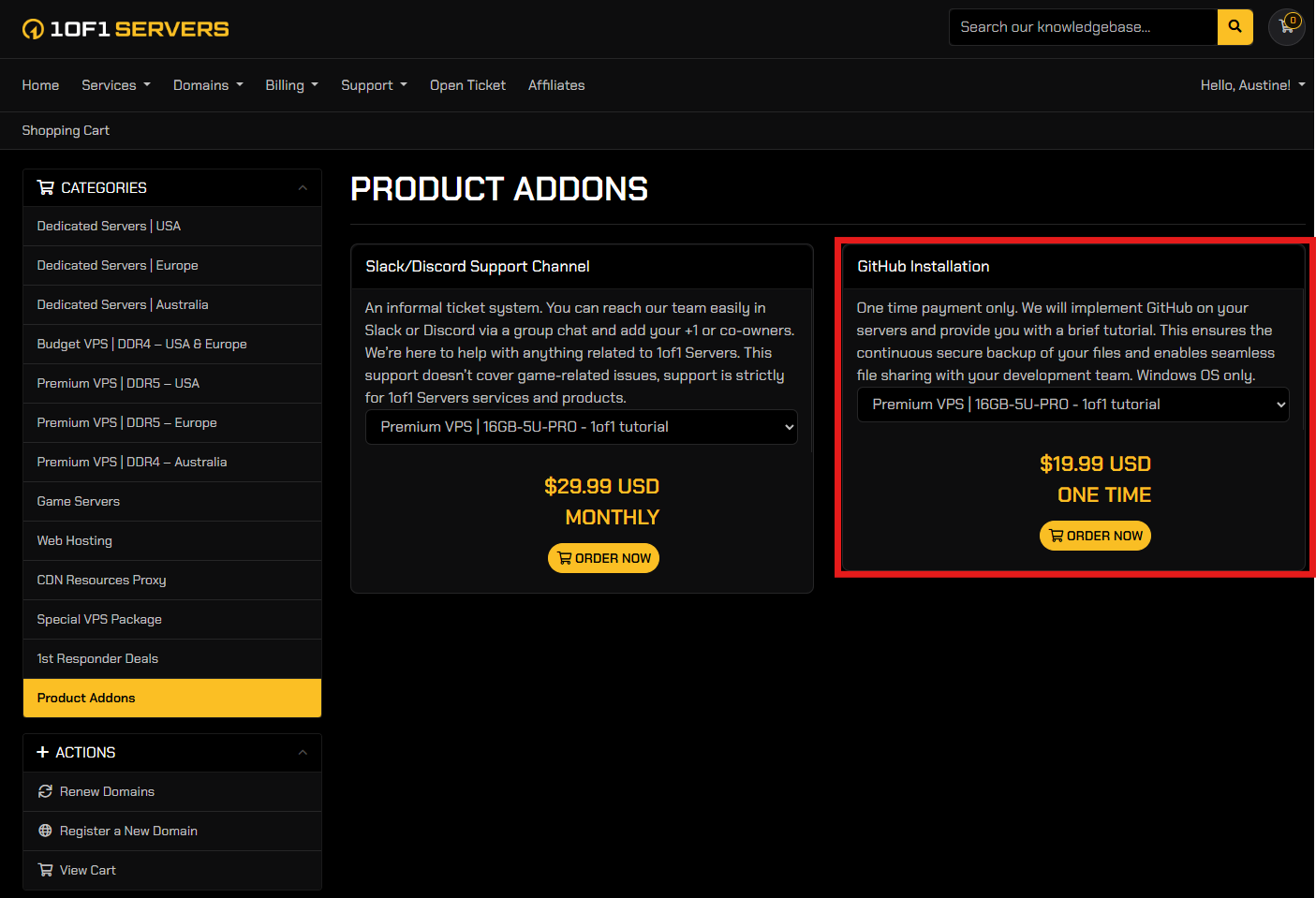
GitHub Installation
If you don't want someone to have access to your server, but you still want them to help you develop and have access to the server's files, GitHub is the safest and most secure application you could use.
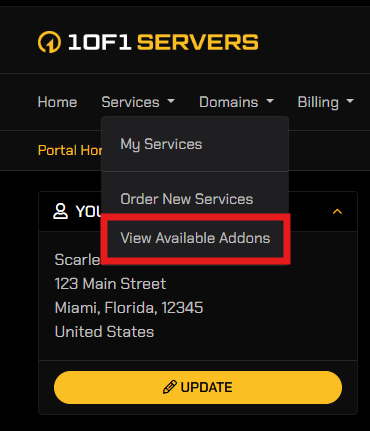
We offer the installation of GitHub as an addon found in the "Services" tab under "View Available Addons" on your billing dashboard.
Go to your billing dashboard, then navigate to the "Services" tab and click "View Available Addons" on the left-hand menu.
Secondary Users via Remote Desktop
To provide access to your developers or admins on your VPS or Dedicated Server via Remote Desktop, and not giving them your main Administrator account you may add them as users in your remote desktop.
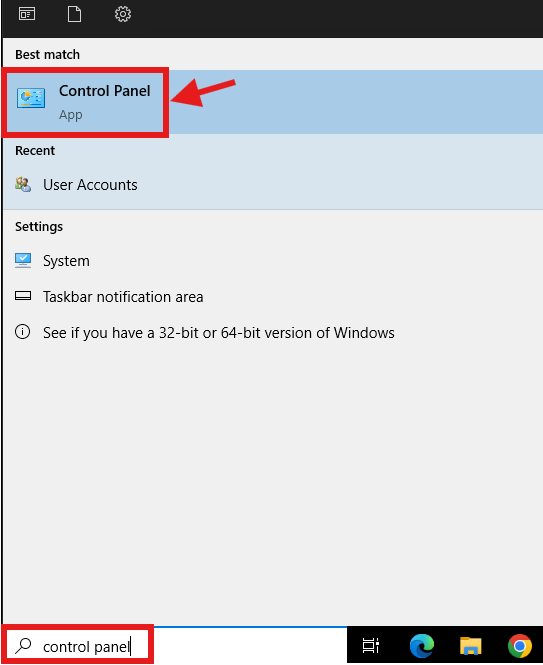
- Log in to your VPS or Dedicated Server and use the search tool on the remote desktop, search "Control Panel".
- Go to "User Accounts"
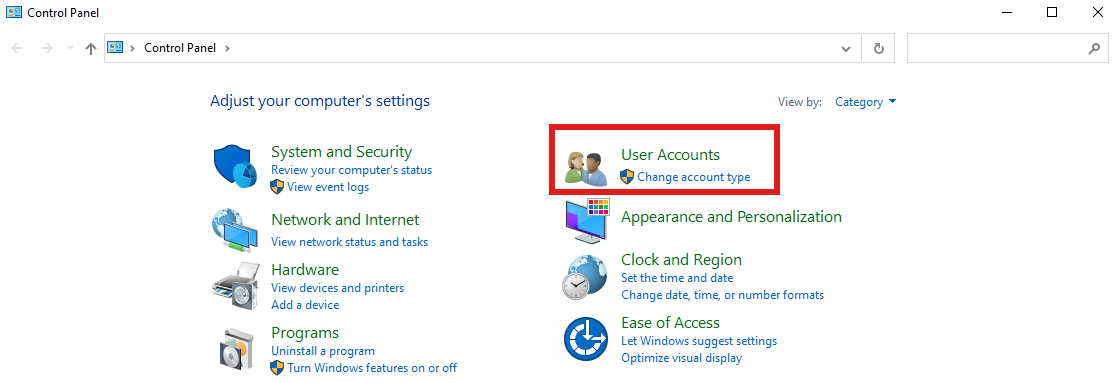
- Click on the next "User Accounts" setting
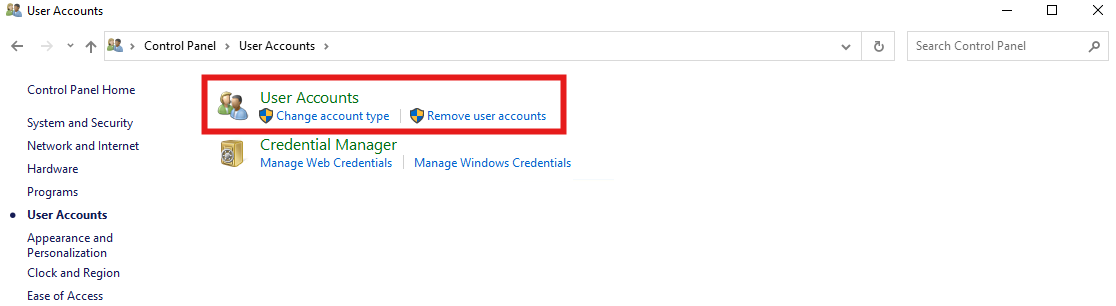
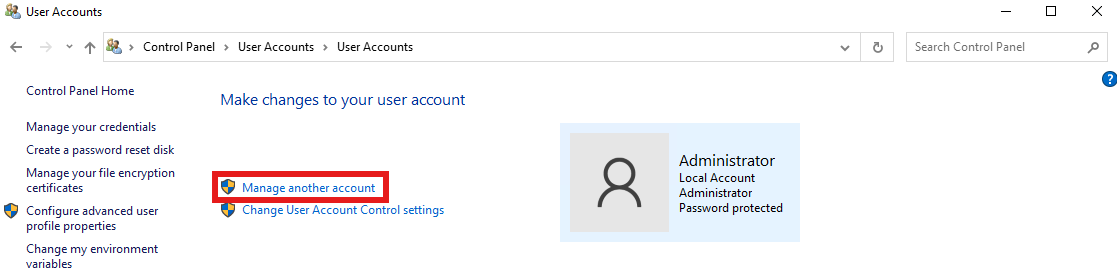
- Locate and select "Manage another account" then "Add a user account"
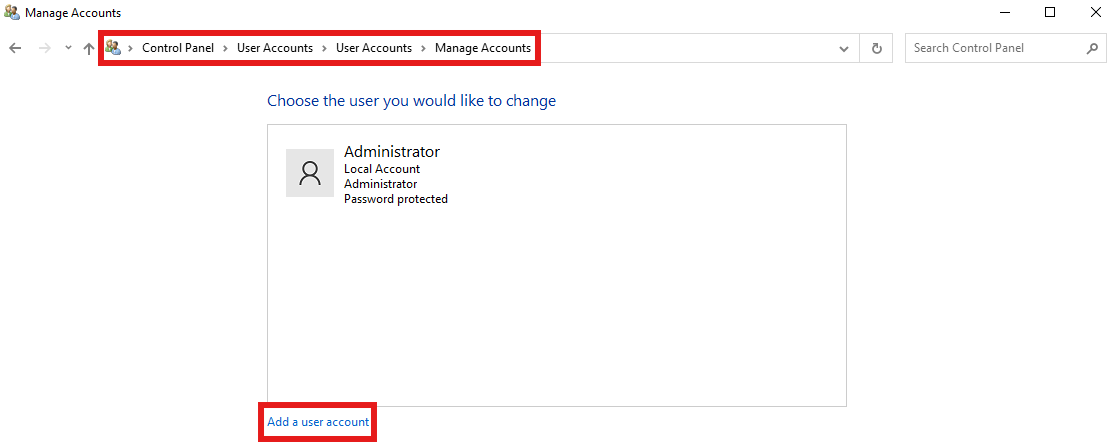
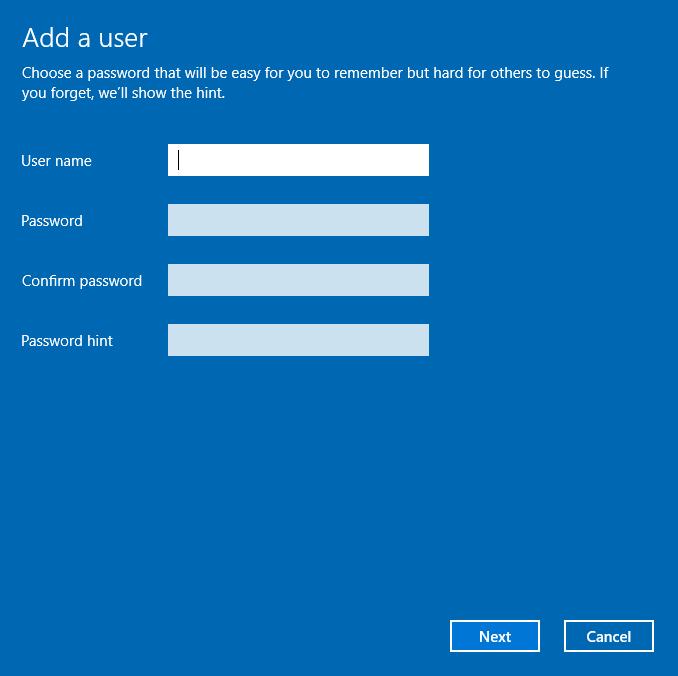
- The following panel will appear, enter the appropriate information for the new user's Username and a unique password for them to use when they log in, NOT the same as your VPS or Dedicated Server password.
- Once the information is set, send the username, password, and password hint to your developer or admin so they can log in.