Manage Your Dedicated Server
Last reviewed: June 2, 2026
Step 3
Now that you have linked your Discord, it's time to do some basics with your Dedicated Server.
tip
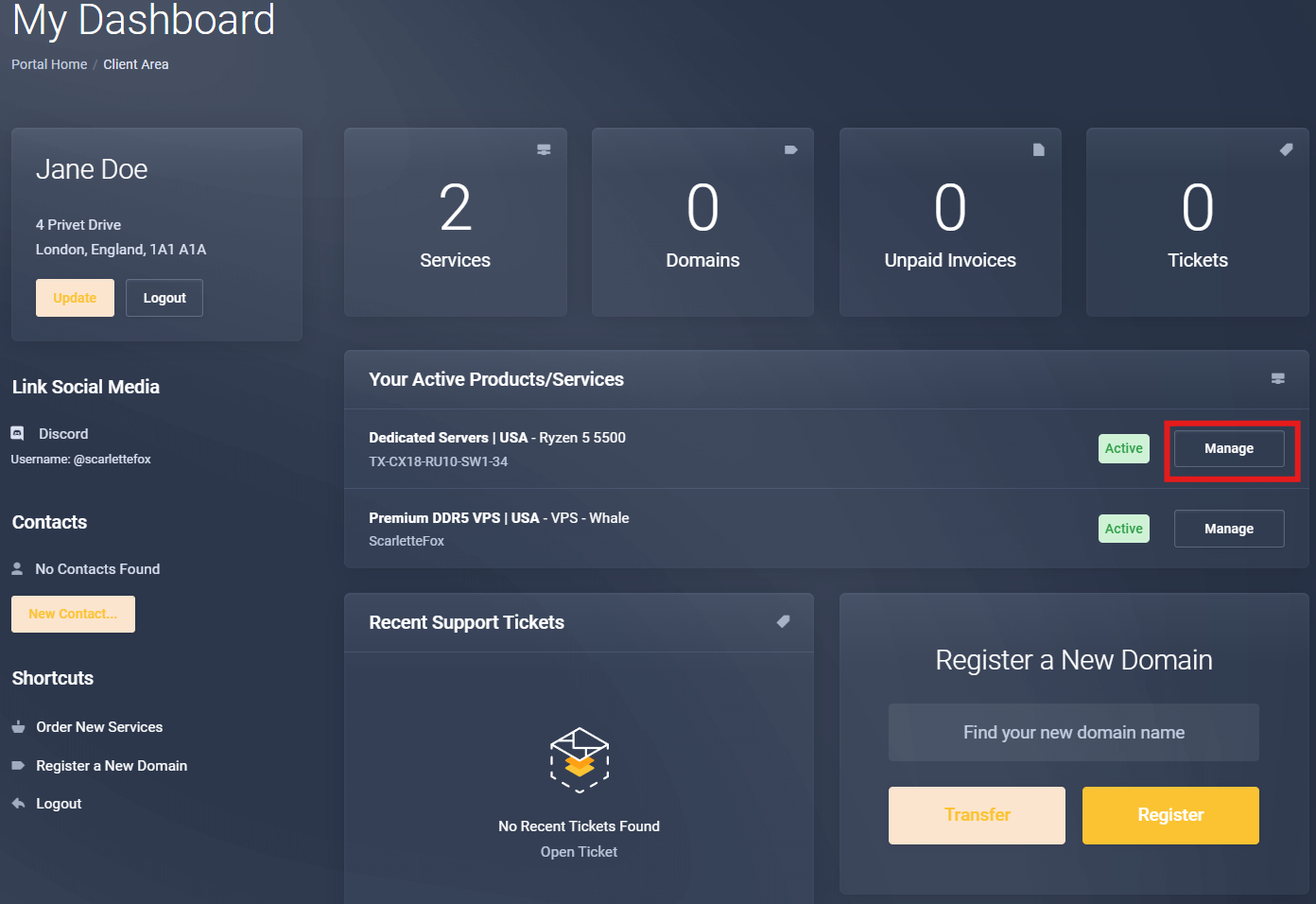
Log into your client area and click on your Dedicated Server.
Click on Manage, this will take you to a portal where you initially navigate to your Dedicated Server's Dashboard by clicking Login To Panel.
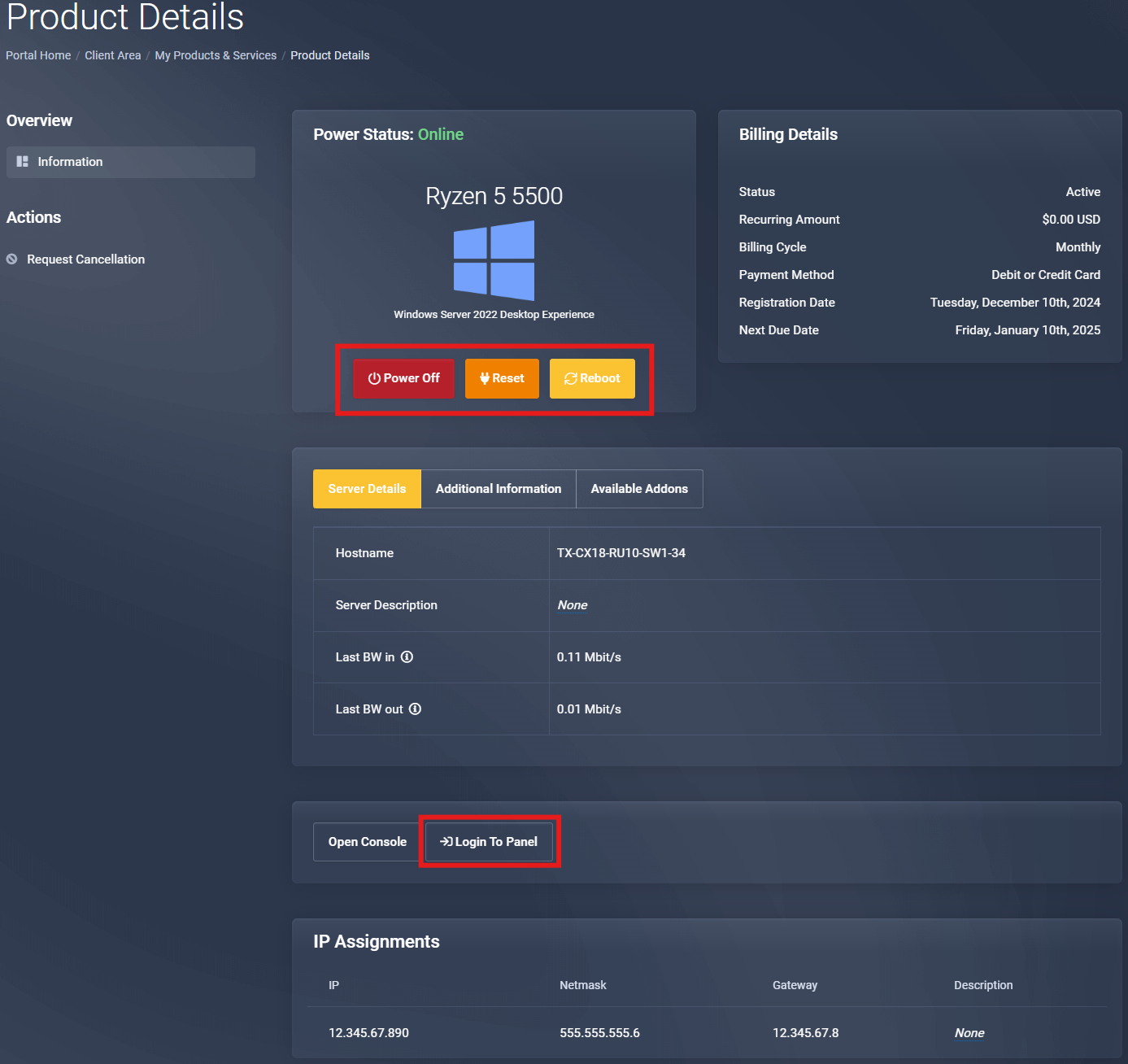
Dedicated Server Dashboard
tip
Visit the dedicated dashboard docs for a full tour.