Setup App
Last reviewed: June 2, 2026
Adding Your Server to the App
- Visit our App here.
- Click Add Server.
- Enter:
- Your Server Name
- Your Server IP (with port)
After submitting your server, your Grafana credentials will automatically generate and appear in the dashboard under Grafana Credentials as below.
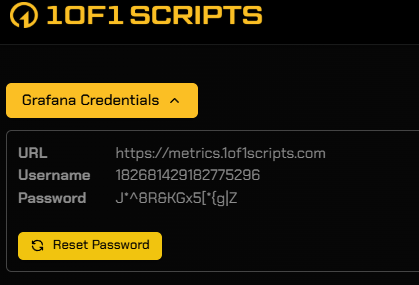
Accessing Your Metrics Dashboard
- Go to the Metrics website.
- Log in using the Grafana credentials provided in the app.
- Once logged in, you will have full access to your Grafana dashboard and metrics.