How to run Windows MTR
Last reviewed: June 2, 2026
- Download: Grab the Windows MTR tool from here.
- Extract: Unzip the files and navigate to
WinMTR_x64. - Launch: Double-click on
WinMTR.exeto open it. - Run the MTR. Depending on what is needed, client to server or server to client or both.
- client to server (player to server) to be ran from the player's PC.
- In the "Host" field, type in your VPS/dedicated server IP. Then hit Start.
- server to client (server to player) to be ran inside of the VPS/dedicated server.
- In the "Host" field, type in your player's public IP (IPv4). Then hit Start.
- client to server (player to server) to be ran from the player's PC.
- Wait: Allow it to run for about 30 seconds before clicking Stop. See below for MTR preview.
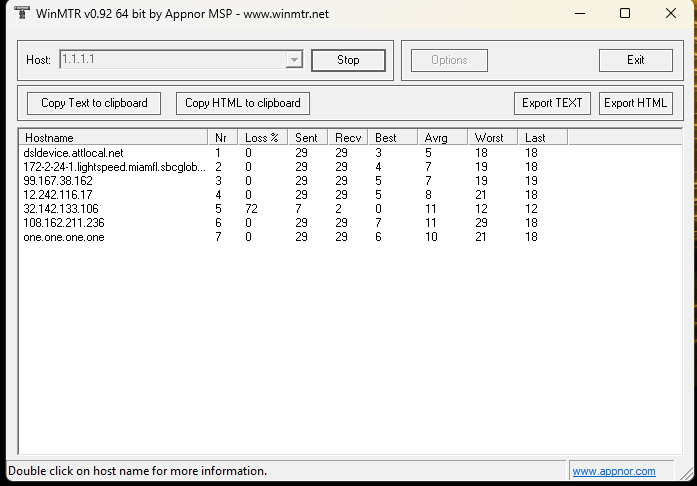
- Export: After stopping, click on Export HTML. Save this file.
- Share: Share the HTML file with the team.