Mods and Modpacks
Last reviewed: October 12, 2026
You can install modpacks on your Minecraft server directly from the dashboard, using the built-in Modpack Browser.
warning
Install modpacks only while your server is OFF. Go to the Console and click Stop before you begin.
Installing a Modpack
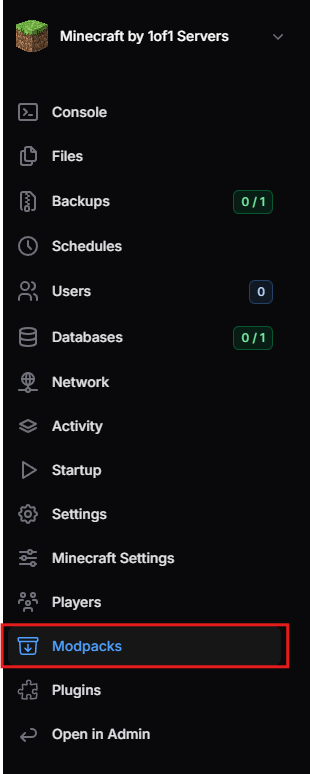
- Open the Modpacks page from the menu on the left-hand side.
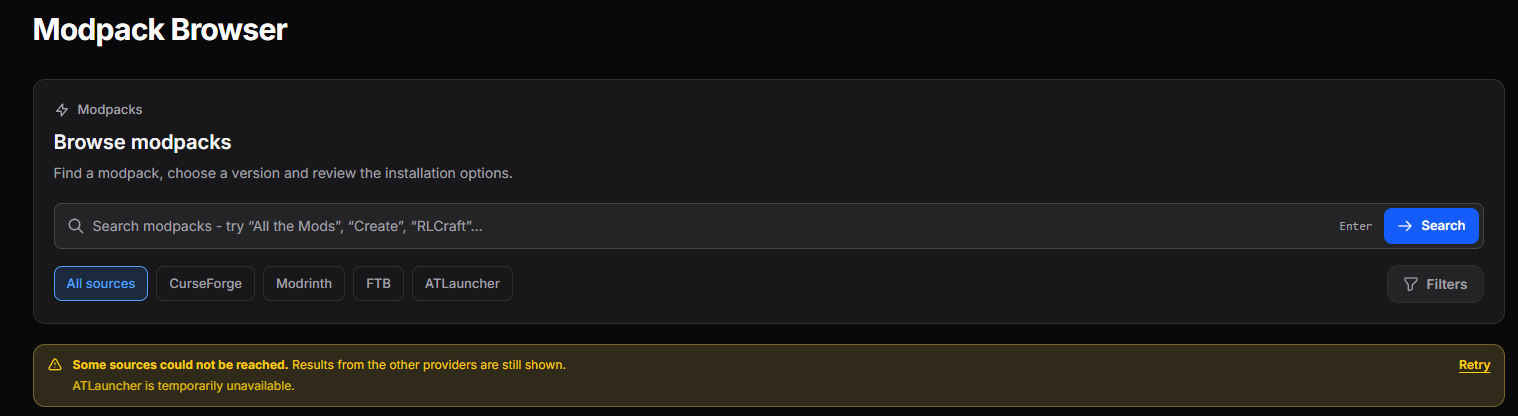
- Use the search bar to find a modpack. You can narrow your results by source (CurseForge, Modrinth, FTB, or ATLauncher) or with the Filters button.
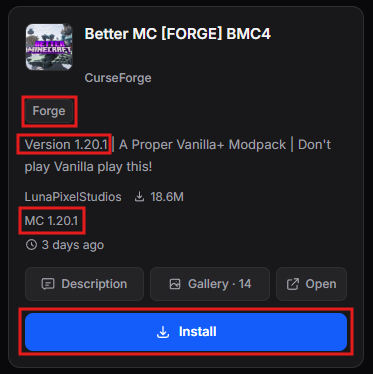
- Before installing, check that the modpack matches what you want:
- Mod platform - the mod loader the modpack is built on, such as Forge or Fabric.
- Minecraft version - the game version the modpack is made for (for example, MC 1.20.1). This must be the same Minecraft version you and your players are using.
- Click Install.
- Once the installation has finished, go back to the Console and click Start.
tip
Use the Description and Gallery buttons to learn more about a modpack before installing it, or click Open to view it on its source website.
info
If a source is temporarily unavailable, a notice appears below the search bar. Results from the other sources are still shown, and you can click Retry to try again.
Joining a Modded Server
Players need the same modpack installed on their own computer to join your server. Share the modpack's name and version with your players so they can install a matching copy.