KCD:MP Settings
Last reviewed: October 3, 2026
Power off your server before changing any settings. Changes take effect the next time your server starts.
The KCD:MP Settings page lets you configure your Kingdom Come Deliverance 2 multiplayer server from the dashboard, without editing its configuration files by hand. Settings are grouped into the sections below.
For a full explanation of every setting, refer to the official KCD:MP documentation: https://docs.kcd-mp.com/
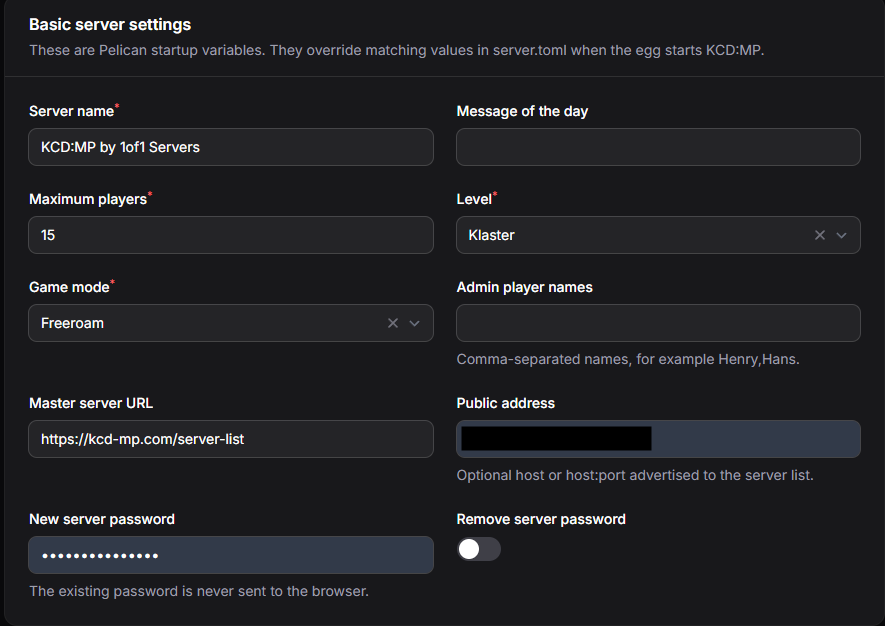
Basic Server Settings
The core details of your server. These are the same values as the variables on the Startup page, and they override the matching values in server.toml.
- Server name - the name shown in the KCD:MP server browser.
- Message of the day - an optional message shown to players when they join.
- Maximum players - how many players can be online at once.
- Level - the map loaded for every player.
- Game mode - the game mode your server runs, for example Freeroam.
- Admin player names - players to promote to admin, separated by commas (for example,
Henry,Hans). - Master server URL - the server list your server is advertised on. Leave this as the default.
- Public address - an optional host or host:port advertised to the server list.
- New server password / Remove server password - set a password players need to join, or remove the current one. For security, the existing password is never displayed.
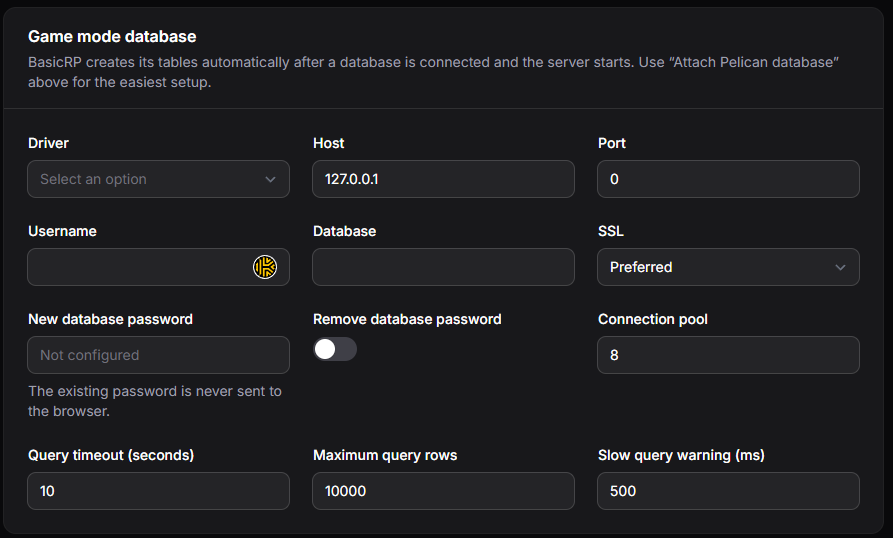
Game Mode Database
Database connection details for game modes that store data, such as BasicRP. BasicRP creates its tables automatically once a database is connected and the server starts.
The easiest setup is the Attach database button, which fills these details in using a database from your server's Databases page. Click Test database to confirm the connection works. For step-by-step instructions, see Starting KCD:MP.
- Driver, Host, Port, Username, Database, and SSL - the connection details for your database.
- New database password / Remove database password - set or remove the database password. The existing password is never displayed.
- Connection pool, Query timeout, Maximum query rows, and Slow query warning - performance limits. The defaults suit most servers.
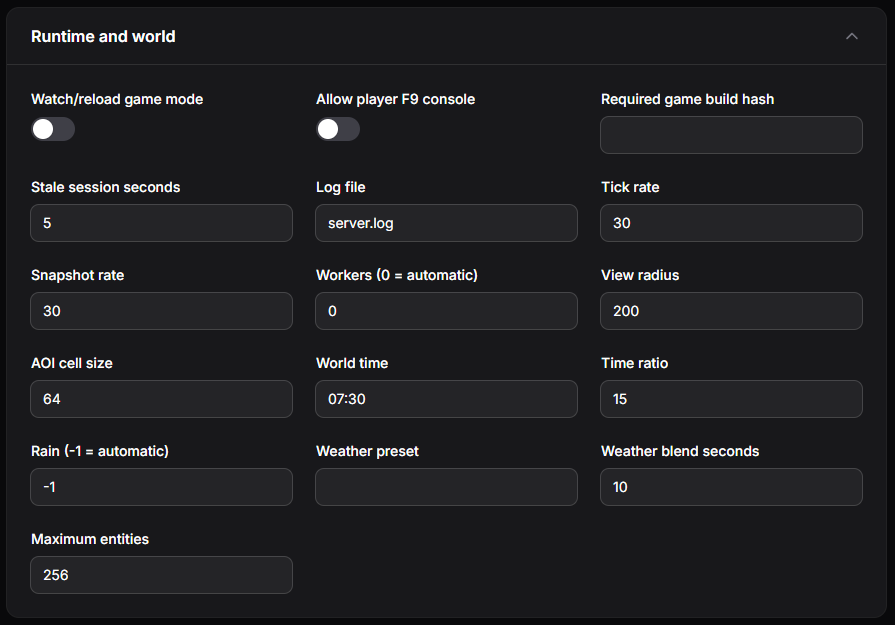
Runtime and World
Server performance and world conditions.
- Watch/reload game mode - automatically reloads the game mode when its files change. Useful when developing a game mode.
- Allow player F9 console - lets players open the in-game console.
- Required game build hash - only allows players on a specific game build to join. Leave empty to allow any build.
- Tick rate, Snapshot rate, Workers, View radius, AOI cell size, Stale session seconds, and Maximum entities - performance settings. The defaults suit most servers.
- Log file - the file the server writes its log to.
- World time and Time ratio - the starting time of day and how fast in-game time passes.
- Rain, Weather preset, and Weather blend seconds - control the weather and how quickly it changes. Set Rain to
-1for automatic weather.
Persistence, Validation and Moderation
What is saved in the world, anti-cheat checks, and commands.
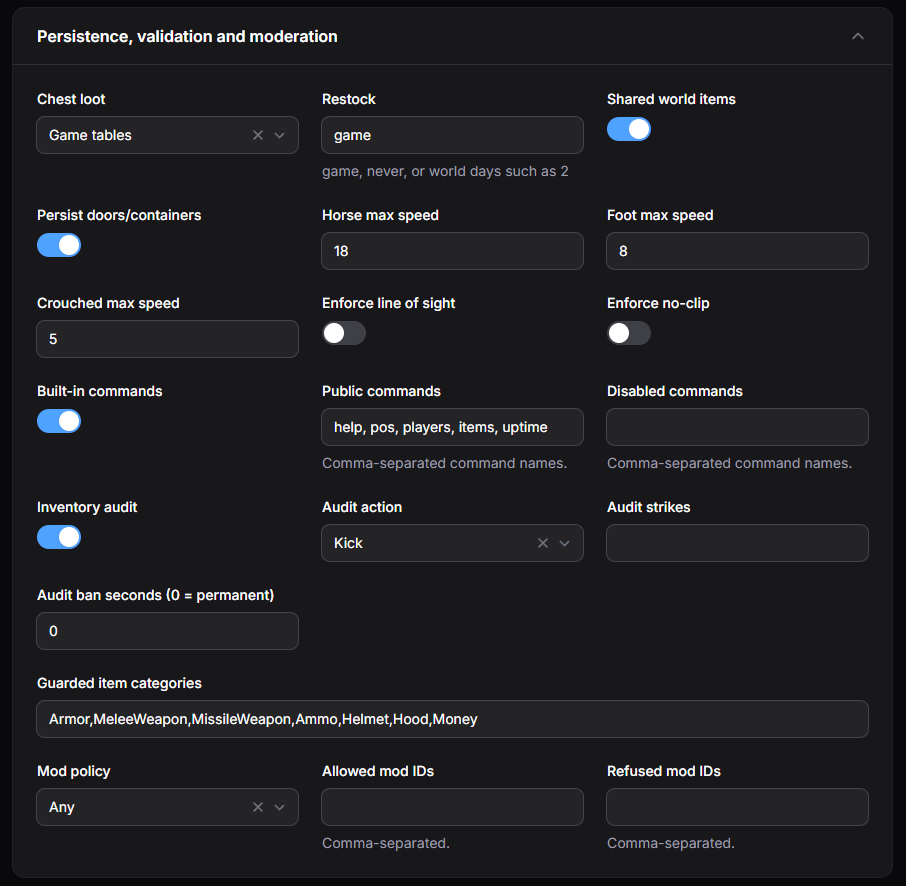
- Chest loot and Restock - where chest loot comes from and how often it restocks (
game,never, or a number of in-game days). - Shared world items and Persist doors/containers - whether dropped items and door/container states are shared between players and saved.
- Horse max speed, Foot max speed, and Crouched max speed - movement speed limits used to detect speed hacks.
- Enforce line of sight and Enforce no-clip - extra anti-cheat checks.
- Built-in commands, Public commands, and Disabled commands - turn the built-in chat commands on or off, and choose which commands everyone can use or no one can use.
- Inventory audit, Audit action, Audit strikes, Audit ban seconds, and Guarded item categories - detect players with items they should not have, and choose whether to kick or ban them. Set Audit ban seconds to
0for a permanent ban. - Mod policy, Allowed mod IDs, and Refused mod IDs - control which client mods players can join with.
Combat, Voice and Parties
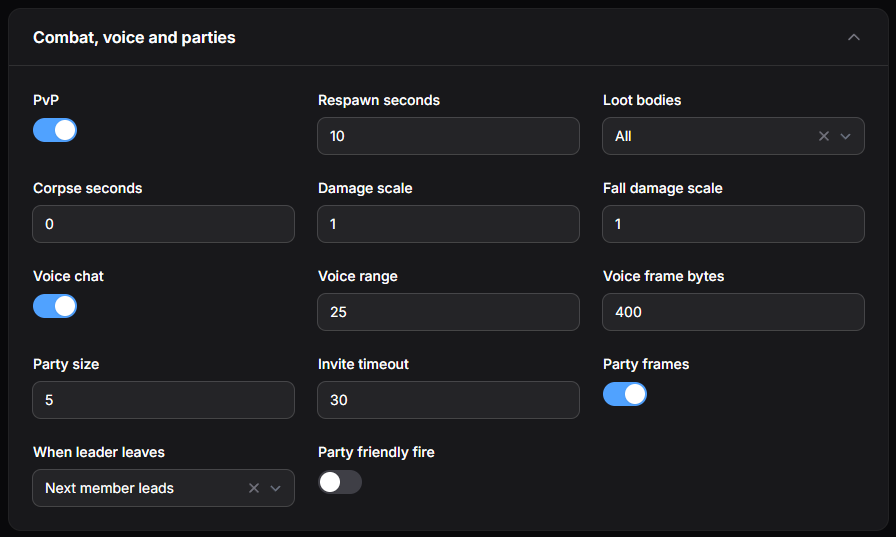
- PvP - allows players to damage each other.
- Respawn seconds, Loot bodies, and Corpse seconds - how long players wait to respawn, who can loot bodies, and how long corpses remain.
- Damage scale and Fall damage scale - multipliers for damage.
1is normal. - Voice chat, Voice range, and Voice frame bytes - turn proximity voice chat on or off and set how far it carries.
- Party size, Invite timeout, Party frames, When leader leaves, and Party friendly fire - party size, invite expiry, party UI, leadership handover, and whether party members can damage each other.
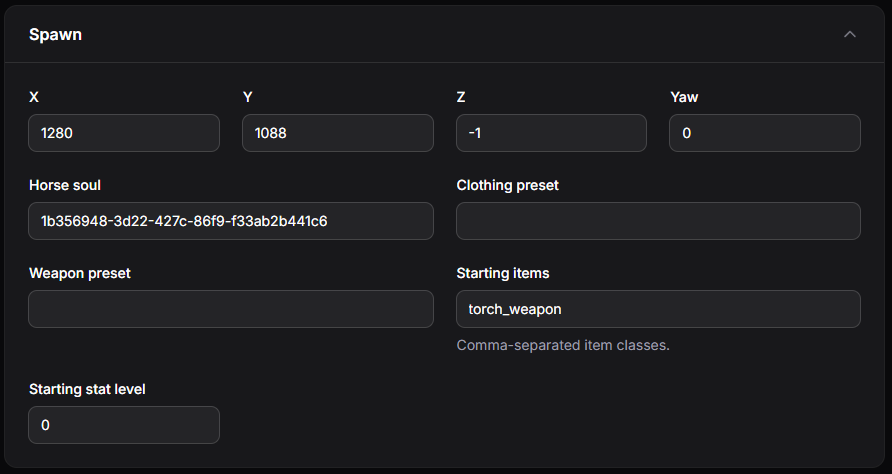
Spawn
Where new players appear and what they start with.
- X, Y, Z, and Yaw - the spawn position and the direction players face.
- Horse soul - the horse given to players.
- Clothing preset and Weapon preset - starting clothing and weapons.
- Starting items - items given to new players, separated by commas (for example,
torch_weapon). - Starting stat level - the stat level new players start with.