Startup
Last reviewed: October 3, 2026
Power off your server before changing any startup settings.
The Startup page controls how your server starts and the settings it starts with.
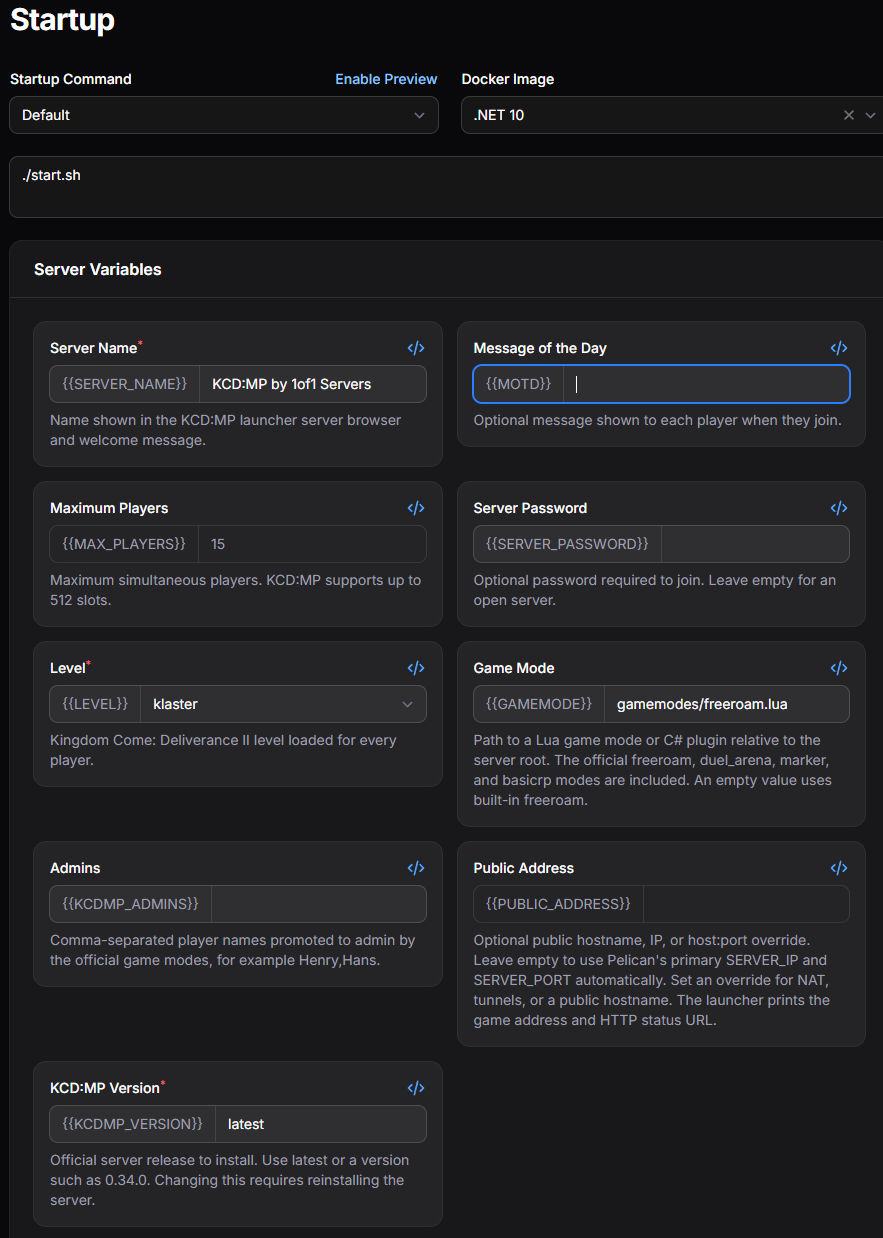
Startup Command
The command that runs when you click Start in the Console. If your game offers more than one, choose it from the dropdown. Click Enable Preview to see the full command with your variables filled in.
Docker Image
The software environment your server runs in, for example a specific .NET or Java version. Only change this if your game or a mod requires a different version.
Server Variables
The settings your server reads when it starts, such as the server name, maximum players, password, map, and game version. Each variable has a description underneath explaining what it does, and required variables are marked with a red asterisk (*).
Available variables vary by game. Your changes take effect the next time your server starts.
Some variables require reinstalling your server after changing them. The variable's description will tell you when this is needed. You can reinstall from the Settings page.