Subusers
Last reviewed: June 2, 2026
danger
This feature allows you to add administrators to your Game Server Dashboard, only add people you really trust. Even though you can manage their permissions, any permissions allow for serious implications... like losing files, data, or even your server!
warning
Remember, adding them as an Operator in the server is different than adding them here. In this panel, you can control their permission and access, adding them as an Operator in-game allows for no restrictions on their access. Be wise!
If you need help managing your server and want to add trusted friends as administrators so they can access and manage server settings and files, follow along.
Adding a Sub-user
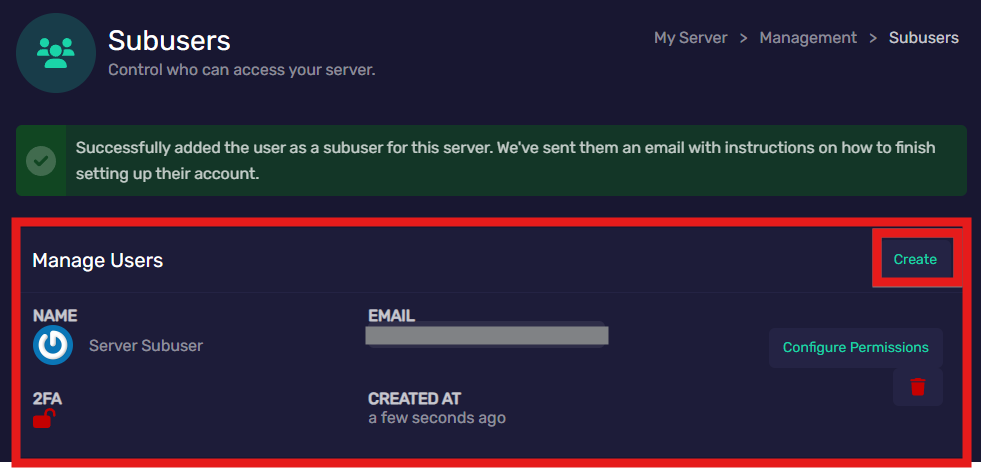
- Go to the Subusers tab in the Management menu.
- Your current Subusers will appear in the circled area.
- Click "Create"
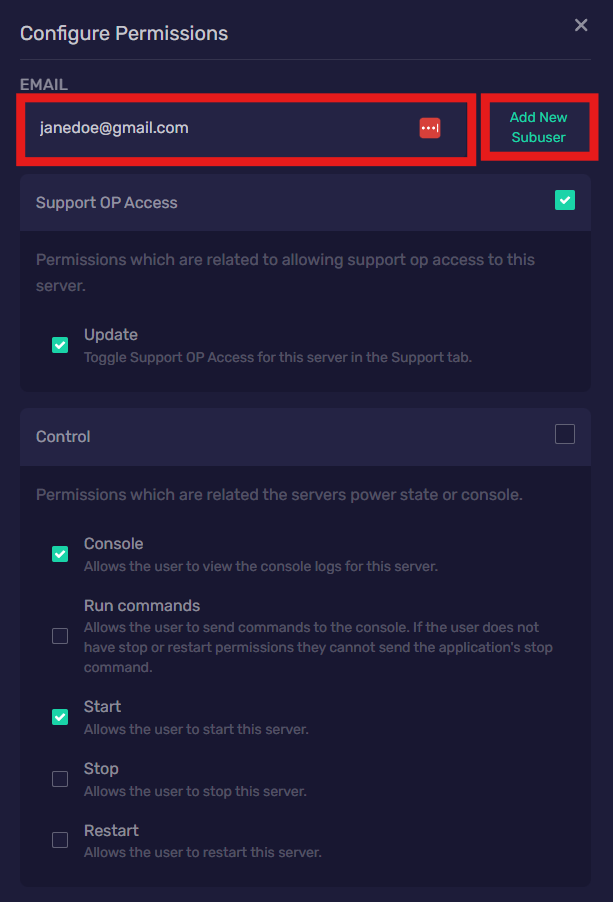
- Fill in the prospective sub-users email address in the Email text box, and;
- Select all the areas that you want this user to have access to, and what access they will be allowed to have (Read, Update, Create, Delete, Deploy, Download...):
- Select the far right box to enable access to all permissions within a category, or;
- Select the left boxes to enable access to specific permissions within a given category.
- When you are finished managing the sub-user's permissions, click "Add New Subuser" to the right of where you entered their email address.
- Don't worry, the permissions can be changed later!
- You are also able to remove sub-users
Repeat this process for all the people you would like to add!
Changing a Sub-Users Permissions & Removing a Sub-User
To remove a sub-user:
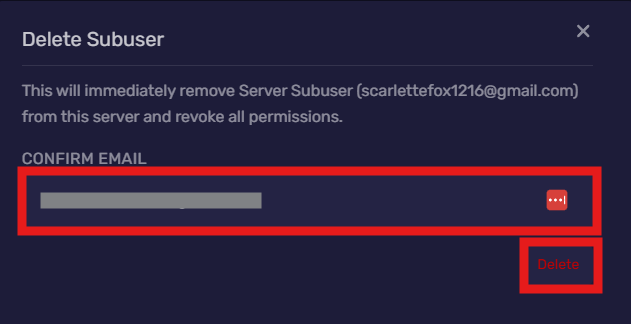
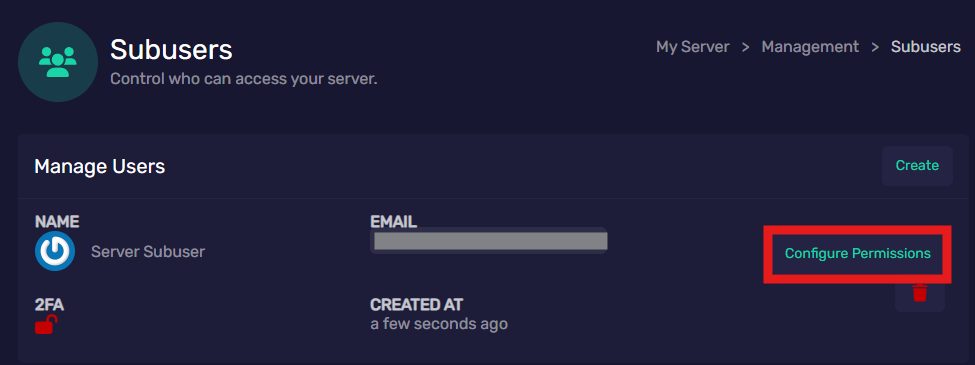
- Click the red garbage can icon below "Configure Permissions"
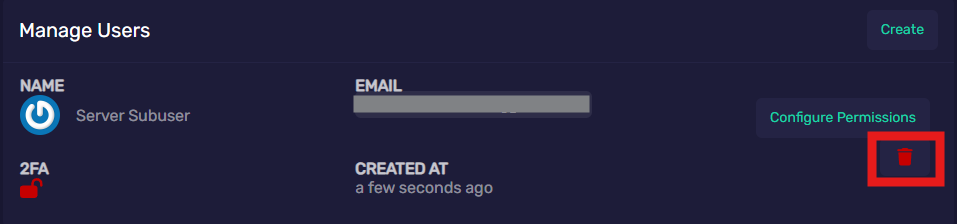
- Enter their email address where prompted, then click "Delete".
To change a sub-users permissions:
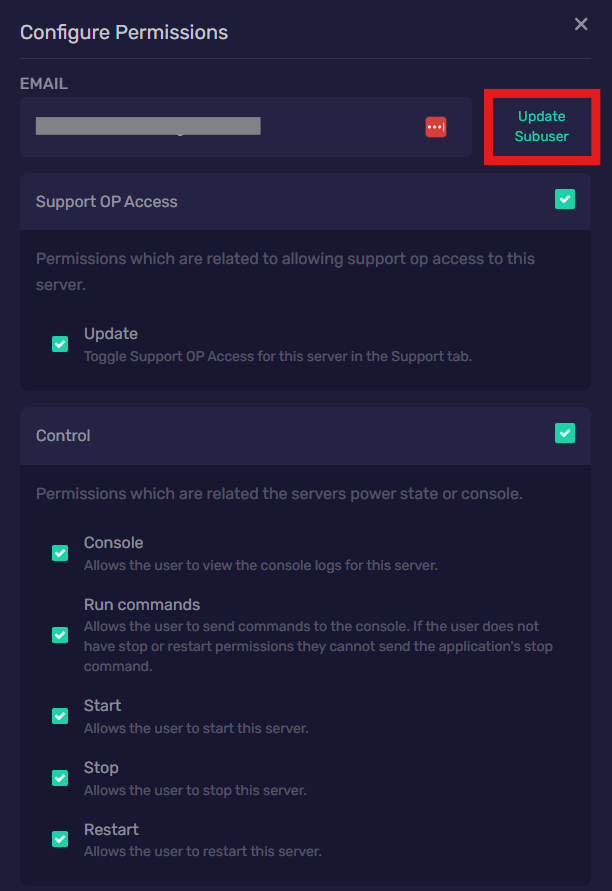
- Click on "Configure Permissions"
- Go through and select/deselect permissions
- When you have finished, click "Update Subuser", beside the Email address text box.