Activity
Last reviewed: October 3, 2026
The Activity page keeps a log of every action taken on your server, newest first. Each entry shows:
- Event - a description of the action, for example "Started the server" or "Updated the Restart schedule", with its event code underneath (for example,
server:power.start). - User - who performed the action.
- Timestamp - how long ago the action happened.
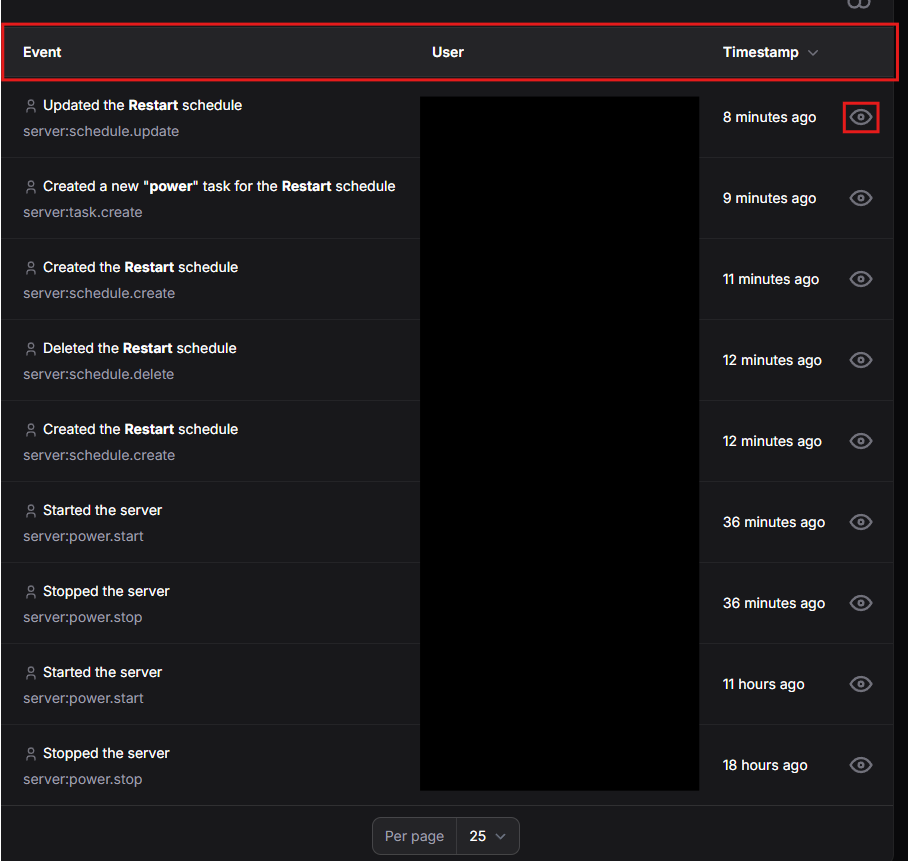
This is especially useful when you have added other Users to your server, as you can see exactly who changed what.
Viewing Event Details
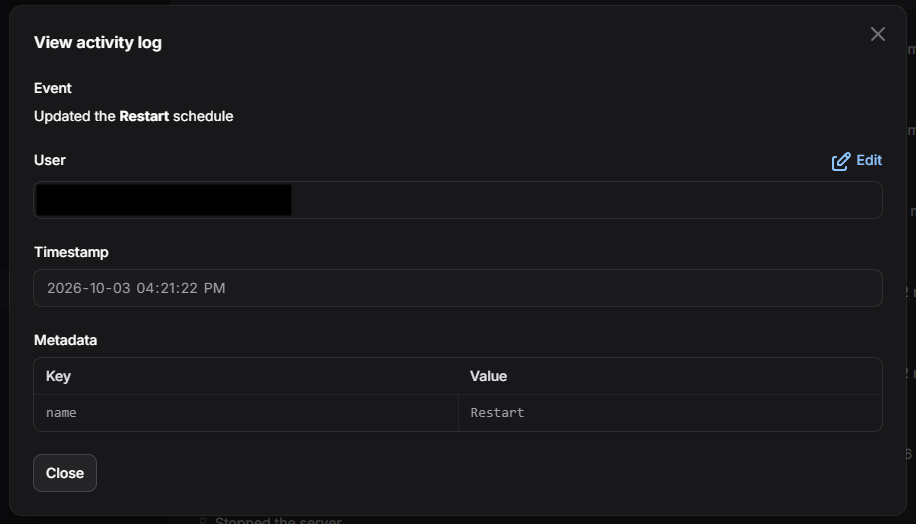
Click the eye icon beside an entry to open the View activity log window. It shows:
- Event - the description of the action.
- User - the account that performed the action.
- Timestamp - the exact date and time of the action.
- Metadata - extra details about the action, listed as keys and values. The details depend on the event. For example, a schedule update lists the schedule's name.
Click Close to return to the log.