SQL Backup
Last reviewed: June 2, 2026
Heidi SQL Setup
Download SQL Backup & FTP Software
SQLBackupAndFTP is a software that backups SQL Server, MySQL, and PostgreSQL Server databases, performs regular full, differential, and transaction log backups, runs file/folder backup, zips and encrypts the backups, stores them on a network or on an FTP server or in the cloud, removes old backups, and sends an e-mail confirmation on the job's success or failure.
Navigate to Connect to Database Server Settings
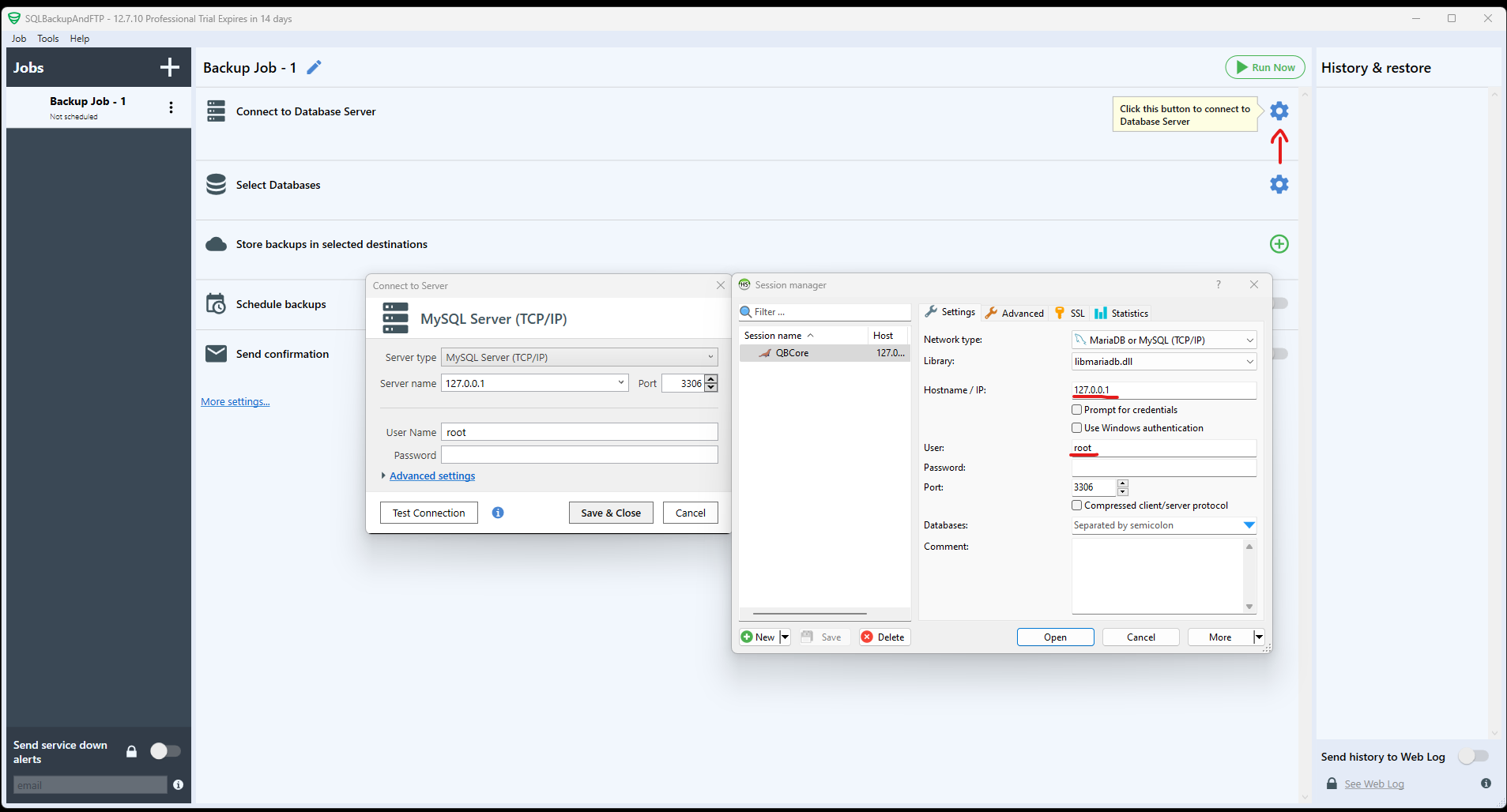
Click on Connect to Database Server settings wheel.
Configure the settings
From the Server type, select MySQL Server(TCP/IP)
Server Name: 127.0.0.1 (usually what it defaults to for HeidiSQL)
User Name: root
Password: (Leave blank, unless you set a password)
Click on Test Connection to make sure that is says connection has succeeded.
Apply the configuration
Select Databases and click save & close
Backup Storage Location
Go to the store backups in selected destinations section and click on the green +.
Select what you'd like to use to store your database. We recommend Google Drive.
We highly recommend that you store it OUTSIDE of the VPS. Makes no sense for you to store database in a VPS.
Automate Backup via Schedule Feature
Go to the tab Schedule backups and run a test backup.
Make sure the backup was done and delivered to your selected location.
We do not offer any support other than what is found on this guide. Please do not ask us for any support or open tickets about this, they will be auto closed.